

Quick Answer
This guide should show users how to select the correct financial year, district, Panchayat Samiti, Gram Panchayat and SFC VI head to verify an installment order.
SFC VI installment check karne se pehle kya ready rakhein?
- Financial Year, jaise 2024-25 ya 2025-26
- District ka naam
- Panchayat Samiti ka naam
- Gram Panchayat ka sahi naam
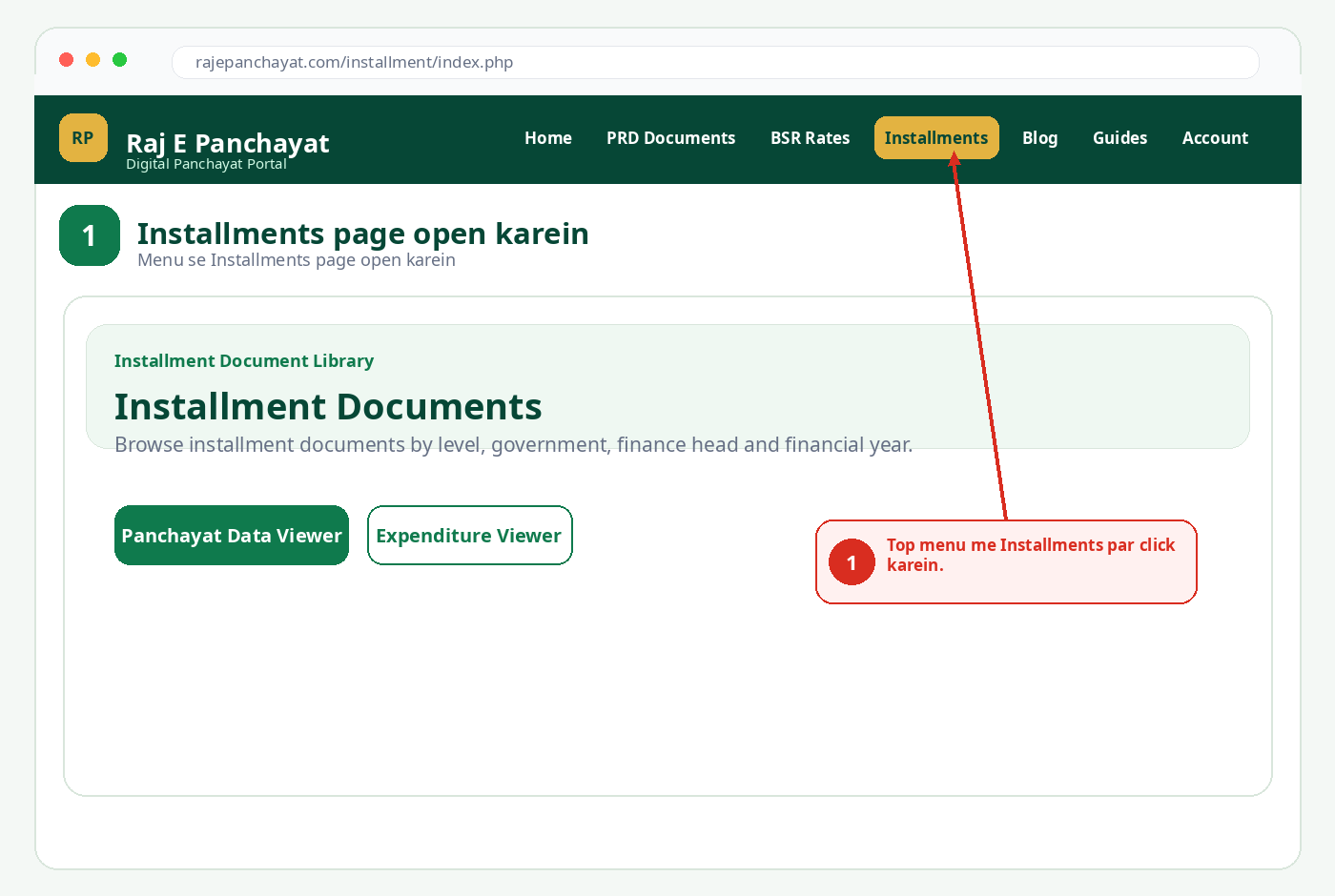
Step 1: Installments page open karein
Raj E Panchayat ke top menu me Installments par click karein. Is page par installment documents ko level, government, finance head aur financial year ke hisab se filter kiya ja sakta hai.
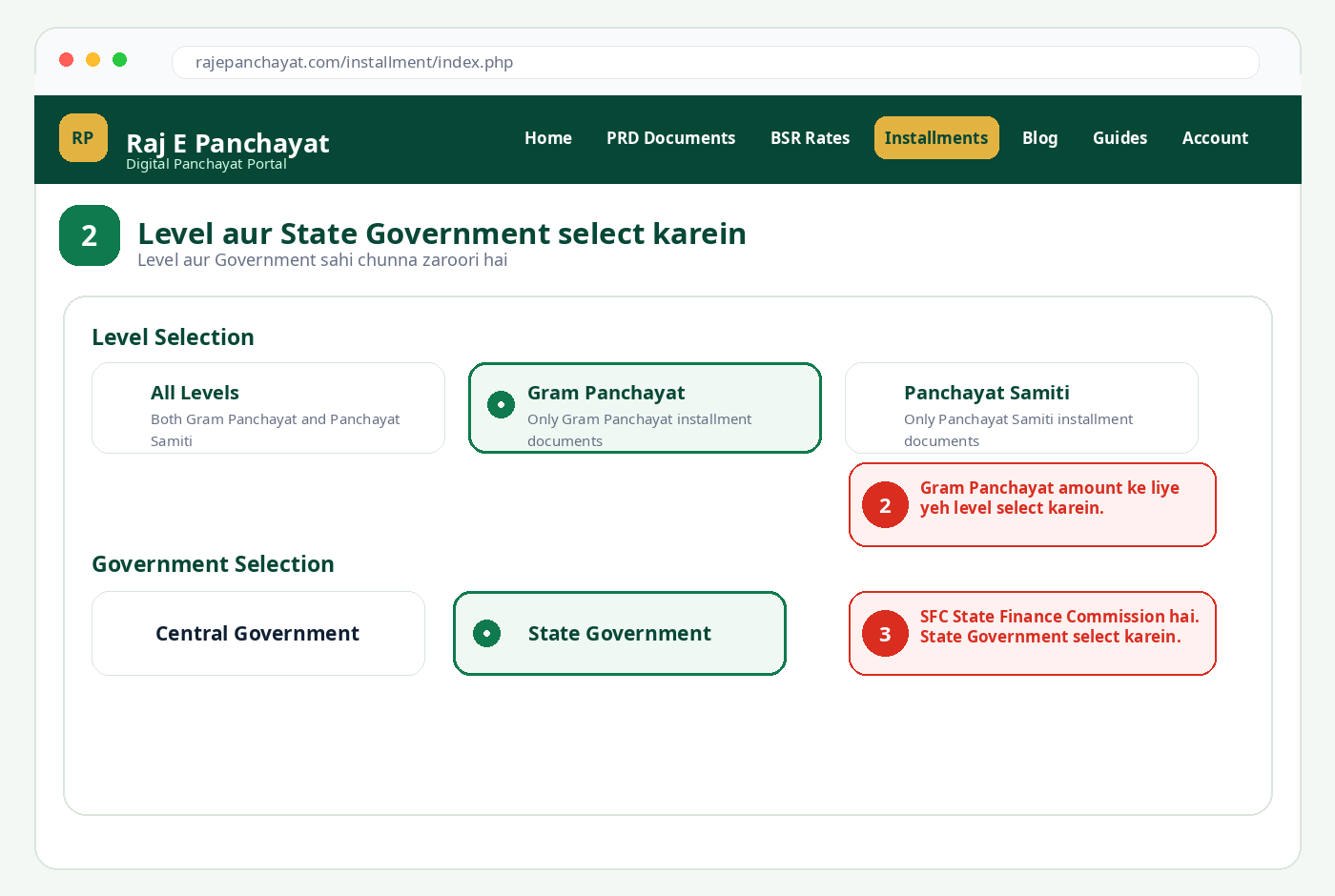
Step 2: Gram Panchayat aur State Government select karein
Agar Gram Panchayat ki SFC VI installment check karni hai to Level Selection me Gram Panchayat choose karein. SFC, State Finance Commission grant hai, isliye Government Selection me State Government select karein.
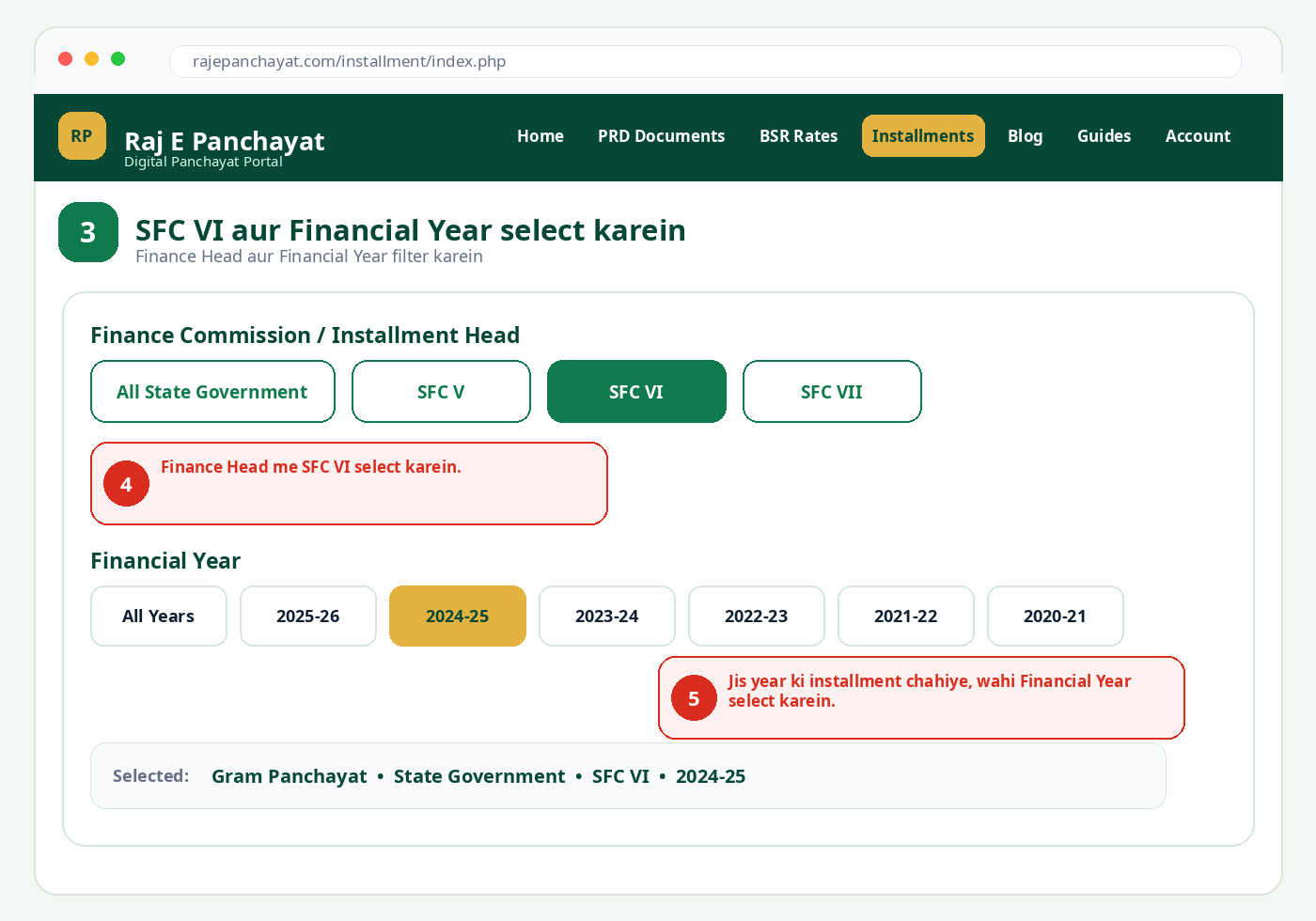
Step 3: SFC VI head aur Financial Year select karein
Finance Commission / Installment Head section me SFC VI select karein. Iske baad jis saal ki installment chahiye, uska Financial Year choose karein.
SFC VI Gram Panchayat records seedhe open karein
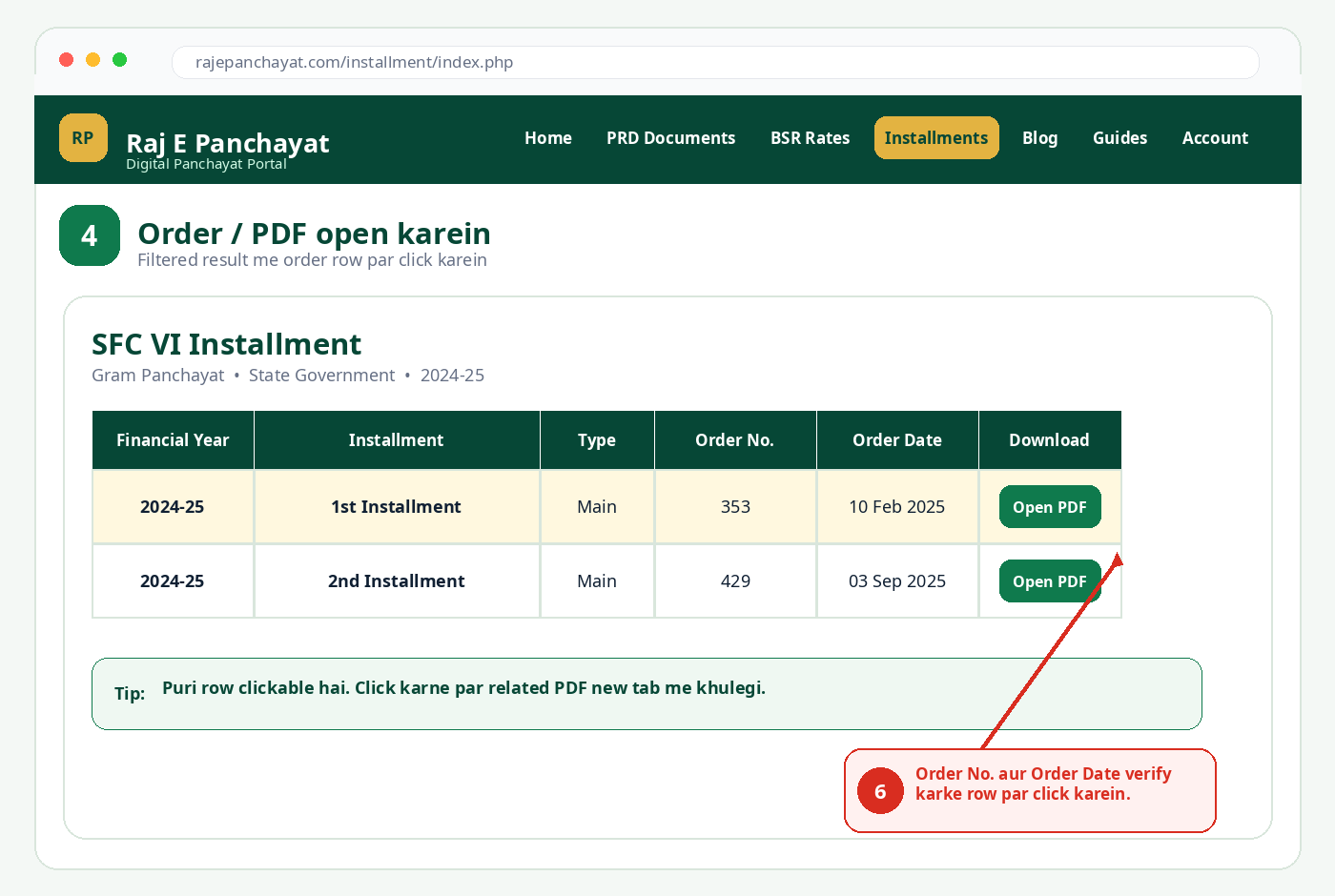
Step 4: Order number, date aur PDF check karein
Filtered list me Financial Year, Installment, Type, Order Number aur Order Date dikhte hain. Sahi record identify karne ke baad result row ya Open PDF button par click karein. PDF new tab me open hogi.
Step 5: Panchayat-wise installment amount dekhein
Installments page par Panchayat Data Viewer button open karein. Login ke baad District, Panchayat Samiti aur Gram Panchayat ko isi order me select karein. Teeno fields select hone ke baad View Installments button active hoga.
Panchayat Data Viewer open karein
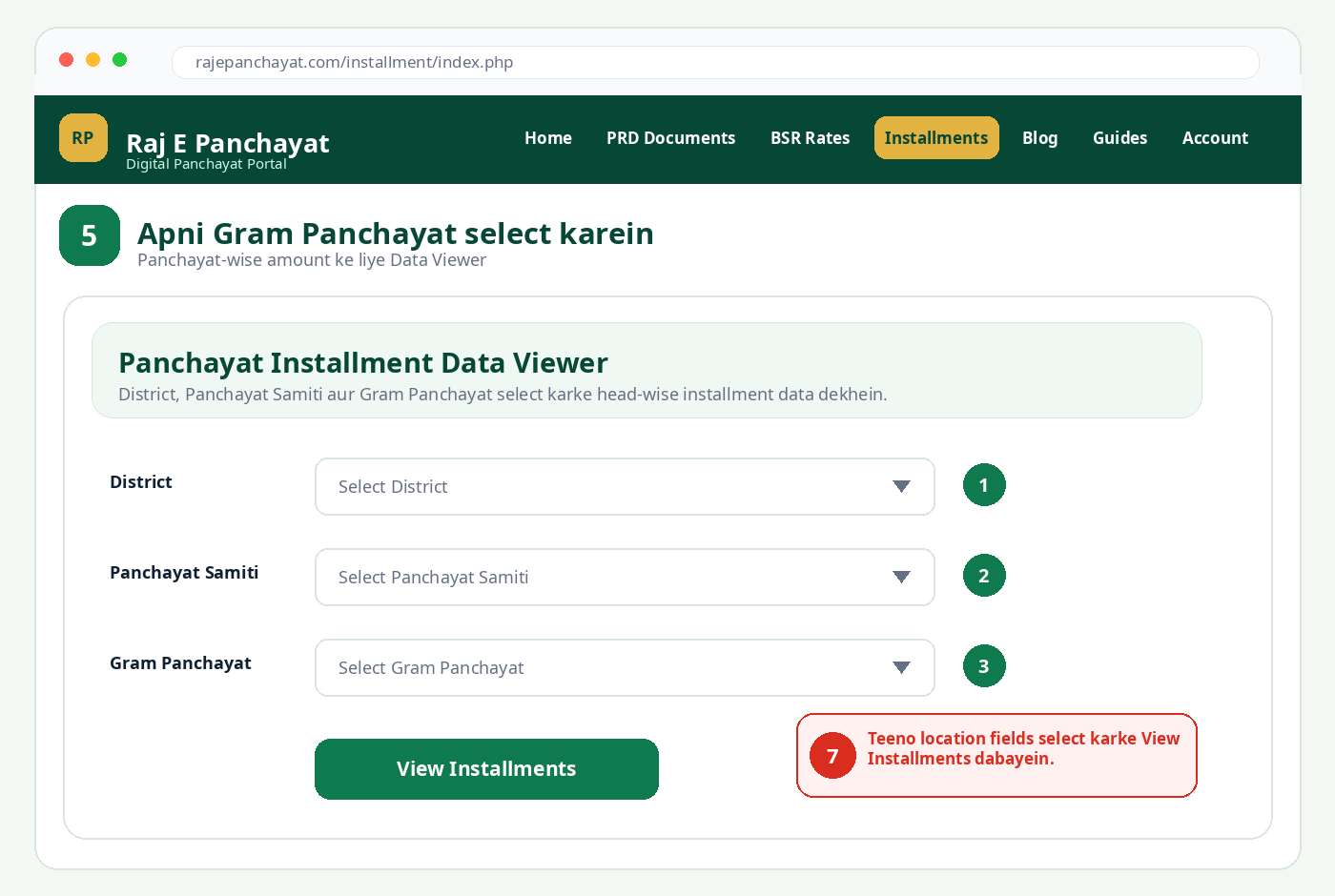
Step 6: SFC VI amount aur demand heads samjhein
Result load hone par Head: SFC VI section dekhein. Yahan Financial Year, Installment, Order Number, Demand 41, Demand 30, Demand 51, Demand 52, Total aur Bank/Account details mil sakti hain.
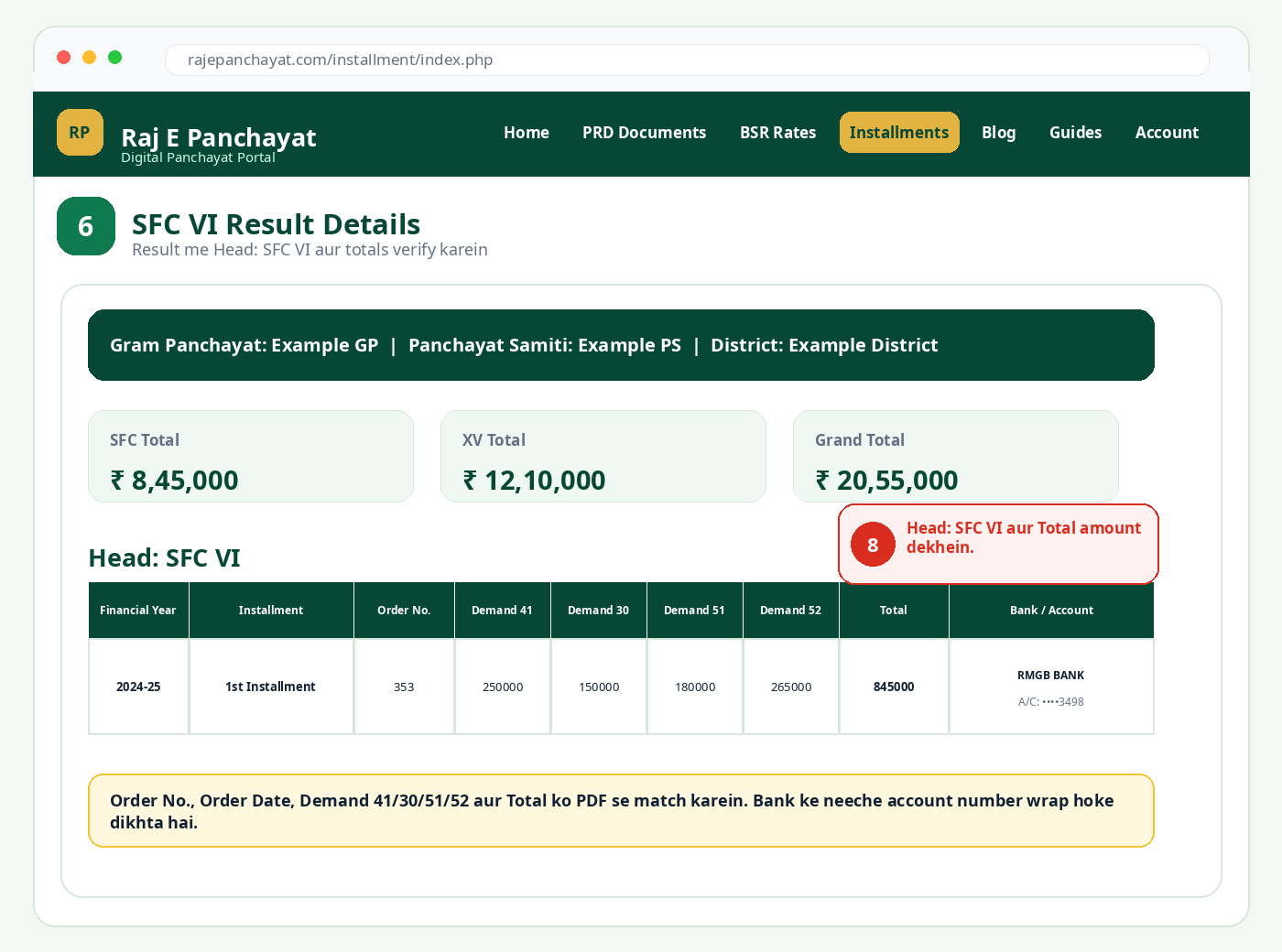
Result me kaun-kaun si details verify karein?
- Financial Year: record sahi year ka hai ya nahi.
- Installment: first, second, main, interest ya anya installment type.
- Order Number aur Order Date: table aur PDF dono me match hone chahiye.
- Demand 41/30/51/52: alag demand heads me credited amount.
- Total: sabhi applicable demand heads ka total.
- Bank / Account: Panchayat bank name aur masked/wrapped account number.
Result nahi aaye to kya karein?
- Level me Gram Panchayat aur Panchayat Samiti galat select to nahi hua, dobara check karein.
- Government me State Government selected hona chahiye.
- Finance Head me SFC VI selected hona chahiye.
- Financial Year badal kar dekhein; record kisi doosre year me ho sakta hai.
- Gram Panchayat ka naam similar ho to District aur Panchayat Samiti ke saath verify karein.
- Data Viewer login maange to Google Login complete karke same page dobara open karein.
Questions & Answers
What should the user verify before starting?
Verify the financial year, location, report or rule reference, and use the current official source.
What should be done when the portal shows no data?
Recheck all filters, especially financial year, district, block and Gram Panchayat. Also verify whether the official portal is temporarily unavailable.